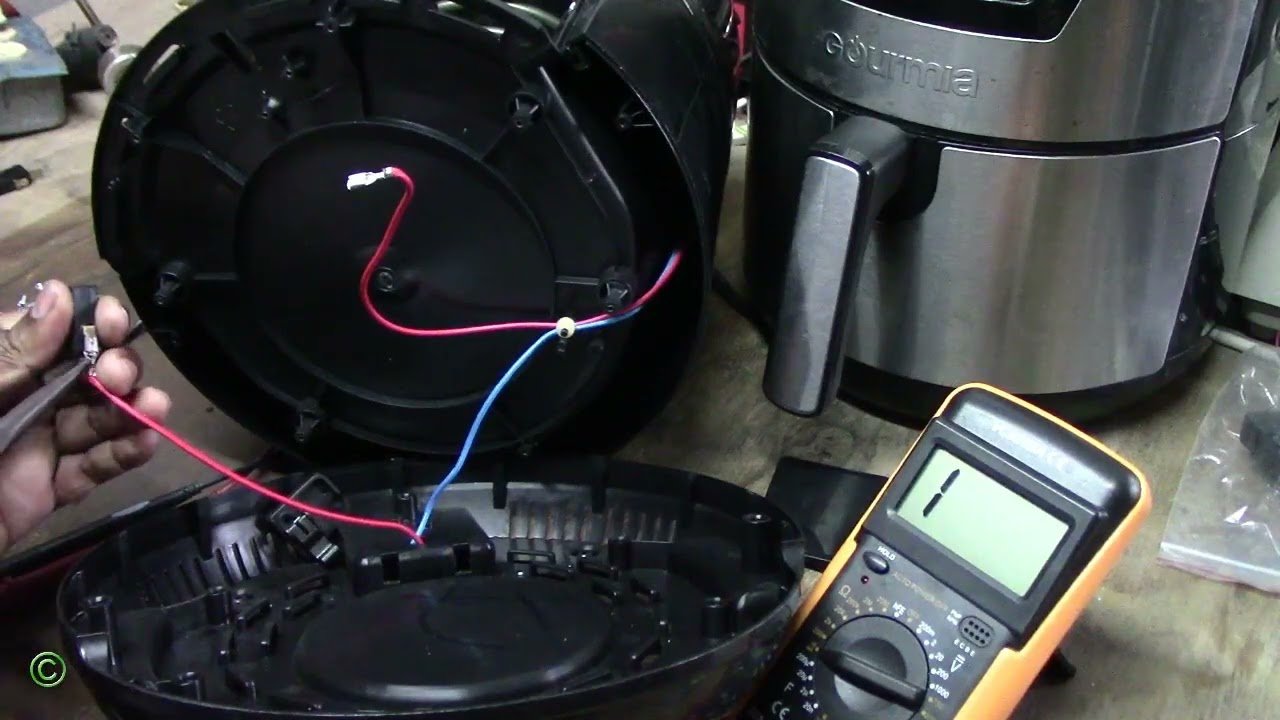
Air fryers have revolutionized home cooking, allowing people to enjoy crispy, healthy meals without the hassle of deep frying. Among popular brands, Gourmia stands out for its affordability, ease of use, and variety of features. However, like any appliance, it can run into problems — and one of the most frustrating issues is when your air fryer won’t turn on.
Whether your device shows no display, refuses to start cooking, or is completely unresponsive, it can feel like your dinner plans are ruined. The good news is that most of these problems are easy to identify and fix at home. In this article, we’ll explore the most common reasons your Gourmia air fryer won’t power on, from simple electrical issues to internal safety features, and provide step-by-step solutions to get it working again.
Understanding the Problem
When we say an air fryer won’t turn on, it can mean several things:
-
The device shows no power at all — the screen is blank.
-
Plugging it in produces no response.
-
Buttons or display are unresponsive, even though it is plugged in.
-
It starts briefly but then shuts off immediately.
Each scenario points to different causes, which we’ll cover in the following sections.
1. Check the Power Source
The first step in troubleshooting is the simplest: make sure the air fryer is receiving electricity.
-
Plug the fryer into a known working outlet.
-
Test the outlet by connecting another appliance, like a lamp.
-
Avoid using extension cords, as they can sometimes reduce power or trip safety mechanisms.
If the outlet works for other devices, then the problem lies within the air fryer itself.
2. Inspect the Power Cord and Plug
A damaged or loose cord is a very common reason for loss of power.
-
Examine the cord for fraying, cuts, or exposed wires.
-
Ensure the plug is securely inserted into the wall.
-
If the cord appears damaged, stop using the appliance until it is replaced.
Some models may have a fuse in the plug. If this blows due to a power surge, the fryer will not turn on. Replace fuses only with parts rated for your specific model.
3. Check the Basket Position
Gourmia air fryers have a safety feature that prevents operation if the basket is not properly inserted.
-
Slide the basket fully into place until you hear a click.
-
Ensure nothing is blocking the basket or misaligning it.
-
Even slightly improper placement can prevent the fryer from powering on.
Proper basket placement is one of the easiest problems to fix.
4. Set the Timer and Temperature
Many digital Gourmia models will not start unless a cooking time is set.
-
Press the + or – buttons to set the cook time.
-
Adjust the temperature if your model requires it before starting.
If no time is set, the fryer may remain unresponsive or blank.
5. Allow the Fryer to Cool
Gourmia air fryers include overheat protection systems to prevent damage.
-
If the fryer senses high internal heat from previous use or blocked vents, it may shut down and refuse to turn on.
-
Unplug the fryer and let it cool for at least 30 minutes.
Once cooled, plug it back in and try again. Cooling often resets safety circuits.
6. Reset the Unit
Some air fryers can experience minor software or display glitches. A simple reset can help:
-
Unplug the fryer from the outlet.
-
Wait 5–10 minutes.
-
Plug it back in and attempt to power on.
Do not attempt to open the fryer or tamper with internal components, as this can be dangerous and void warranties.
7. Inspect the Control Panel
If the fryer powers on but buttons or the touchscreen are unresponsive:
-
Make sure the panel is clean and dry.
-
Check for stuck buttons.
-
Try resetting the device by unplugging and re-plugging.
If the panel remains unresponsive, professional repair may be necessary.
8. Internal Component Issues
If none of the above steps work, there may be internal problems:
-
Blown thermal fuse: Protects the unit from overheating. If blown, the fryer will not power on.
-
Faulty wiring or circuit board: Defects or wear can prevent operation.
These issues require professional repair. Attempting to open the fryer yourself can be hazardous.
9. Warranty and Manufacturer Support
If your Gourmia air fryer is under warranty:
-
Contact customer support for guidance.
-
Keep your purchase receipt, model, and serial number ready.
Many internal failures are covered under warranty and can be repaired or replaced by the manufacturer.
10. Maintenance Tips to Prevent Future Issues
Proper care can prevent most problems:
-
Clean the basket and interior after each use.
-
Avoid overloading the fryer to maintain airflow.
-
Keep cords in good condition and avoid bending.
-
Place the fryer on a stable, heat-resistant surface.
-
Keep vents free from grease and debris.
Following these tips helps extend the life of your appliance and keeps it functioning properly.
Read More: Gaming Mods: How LCFGameNews Transforms the Gaming
Conclusion
A Gourmia air fryer that won’t turn on can stem from a variety of issues — from simple electrical problems to internal safety features and component failures. Before assuming the worst, check the power source, cord, basket position, and timer settings, and allow the fryer to cool if overheated. Simple resets and maintenance often resolve the problem.
If these steps do not work, professional repair or warranty service is the safest next step. Understanding how your air fryer operates and following proper care routines can prevent many issues, helping you enjoy convenient, healthy meals without interruption.
FAQs
1. Why won’t my Gourmia air fryer turn on even when plugged in?
Check the outlet, power cord, and ensure the basket is fully inserted. A misaligned basket or damaged cord is a common cause.
2. Do I need to set the timer before the air fryer will start?
Yes. Many digital Gourmia models require a cooking time (and sometimes temperature) before powering on.
3. Can overheating prevent my air fryer from turning on?
Yes. Overheat protection systems shut down the fryer to prevent damage. Allow it to cool completely before trying again.
4. What should I do if the control panel doesn’t respond?
Clean and dry the panel, check for stuck buttons, and try resetting by unplugging the fryer. Persistent issues may need professional repair.
5. Is it safe to repair internal components myself?
No. Internal repairs involve electrical components and can be dangerous. Only qualified technicians should perform these repairs.